Start with what you want to hand over. To revise an email or turn one meeting note into a task, start in chat. Use a multi-step workflow when Claude needs to find several approved files, compare them, and return an editable report. Anthropic is rolling out a unified entry point for Chat and Cowork. If you see no mode selector, describe the deliverable in the same message box. 1
Claude Code fits work in a codebase, like finding files, editing code, or running tests. You do not need a terminal to organize one set of meeting notes. 2
Start with one meeting task
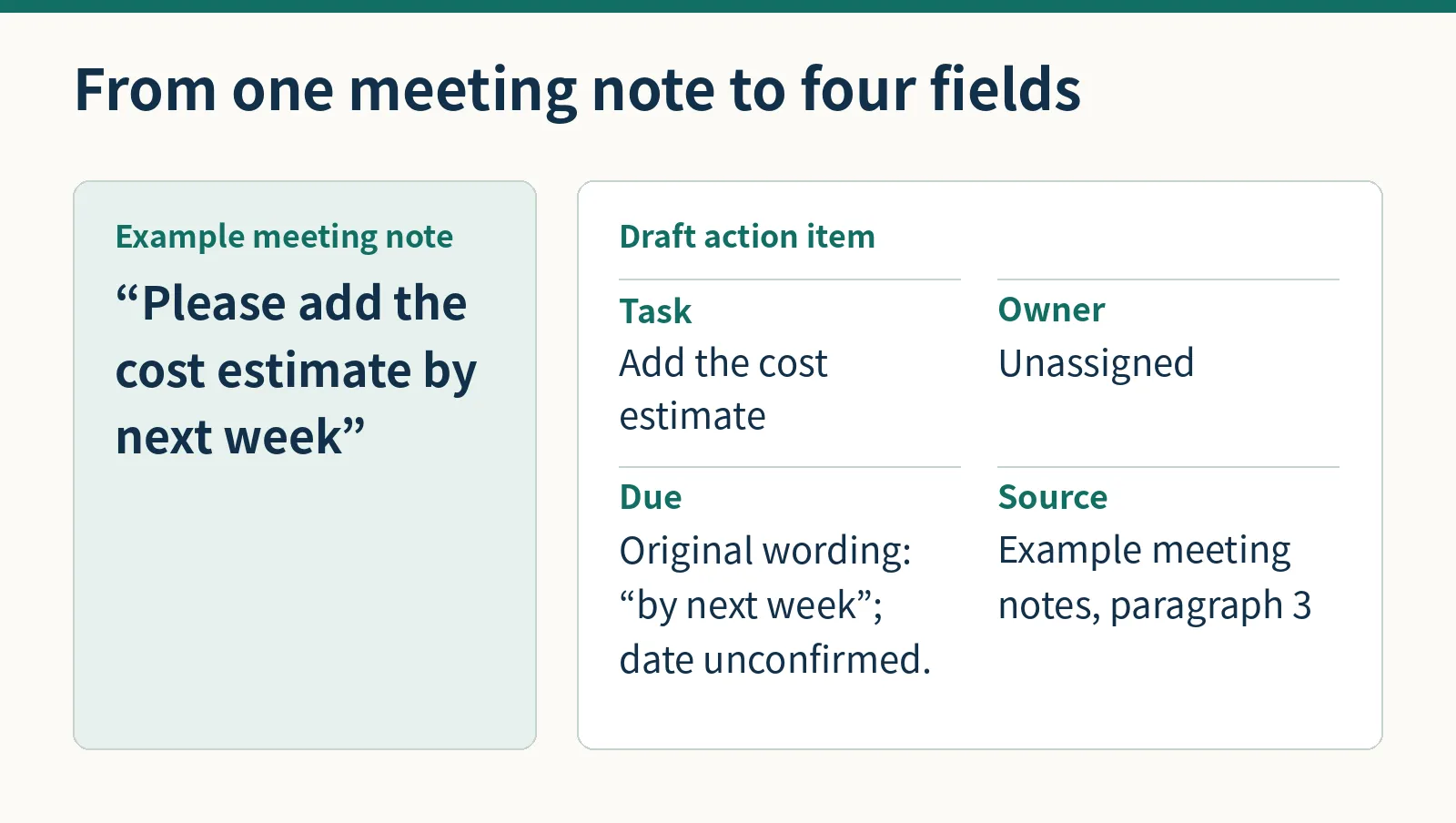
Imagine the meeting notes say, “Please add the cost estimate by next week.” Nobody was assigned. Claude can turn that sentence into a task that shows where it came from and what a person still needs to confirm. One row is enough to see what to check on your first try.
Make one row that leads back to the notes
Start with approved notes and de-identify them as needed. Try this instruction: “List the task, owner, deadline, and source. If no owner is named, write ‘Unassigned.’ Preserve relative dates as written and flag the date for confirmation. Give the original sentence or paragraph for each row. Separate decisions from discussion.”
Check the first draft for invented names, made-up dates, and discussions presented as decisions.
Once the row checks out, put it into a tracker or turn it into a one-page brief. With file creation enabled, Claude can produce spreadsheets, presentations, and other files. When combining monthly tables, check row counts, duplicates, and totals. Before charting the costs, check currencies and which figures include tax. Fix the numbers first.3
If the team is still discussing assignments, use a whiteboard to sort checked tasks into decided, unassigned, and awaiting confirmation. Once several periods of data have accumulated, a dashboard can track progress. Check one figure against the source and make sure a filter has not dropped records. Claude calls these editable outputs Artifacts. Dedicated templates depend on the plan and settings. 4
Keep the materials and reuse the method
You do not need to rewrite the four-column rule each week. A Claude Project is a workspace for instructions and reference materials. Put the approved meeting template and examples there. A personal preference such as “show me the conclusion first” can stay in your memory settings. Put team rules and template versions in the Project, and name a maintainer.5, 6
Once the four-column rule has worked several times, save it as a Skill. Think of a Skill as a job card: it tells Claude what to do with this kind of meeting note. Test it on two old notes. Give it one with a named owner, and one without an owner or a firm date. Check whether it leaves uncertainty visible.7
For a handoff using the open Agent Skills format, put when to use the skill and how it works in SKILL.md. Keep the two test cases alongside it. Rerun them when someone else takes over or you change tools. A common file format still leaves tool support and permissions to check. 8
The same judgment applies elsewhere. Make a searchable plain-text copy of a long manual, keep the original, and spot-check tables and footnotes. If two people check separate cost documents, bring them back together to compare the base year, units, and tax treatment. Two leads to one table still count as one source.
Connect and schedule, then stop at a draft
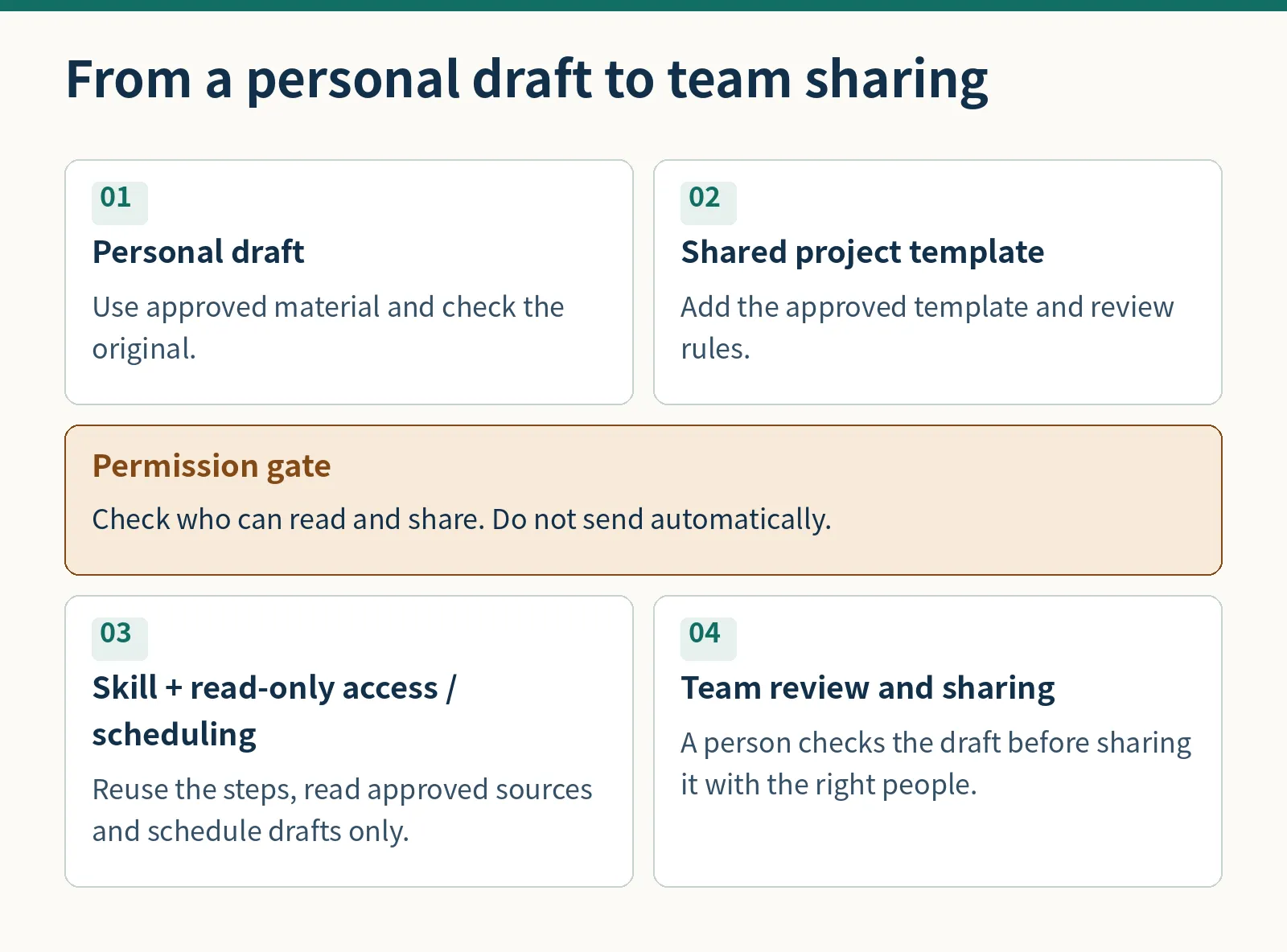
Connect the source tool when you want Claude to find each week's notes. Start with the minimum read access. Restrict sources and turn off sending or write-back tools that the task does not need. Run a missing-file test to check that the workflow reports the gap and leaves the draft unsent.9
Treat finding information and sending it out as separate actions. Enable only the first in the initial trial.
Once the manual trial is stable, use recurring tasks in Cowork to prepare drafts. Scheduling requires a paid plan, and availability can vary by interface and organization settings. A person still checks and sends the draft.10
Hand the workflow to a team
If several coworkers do this each week, Team and Enterprise can use a private Project when the organization allows sharing. Invite named colleagues. Give maintainers edit access and other coworkers view access. Viewers can read the Project's reference materials, so keep restricted notes separate from shared templates. Anthropic lists sharing Projects with formal groups as an Enterprise beta, subject to organization settings.11
Manage branding separately. The brand lead can assemble approved fonts, colors, logos, and layouts. In Artifacts, an Owner or Primary Owner must share the design system with the whole organization before setting it as the default. A Skill can follow the organization's review-before-publishing policy. Enterprise can distribute selected Skills to a group through a plugin. None of this is needed for the first personal trial.12, 13
Our view
This is our practical advice, not Anthropic's official position. Compare a human-written summary and a Claude draft from the same old notes. Count missed tasks and incorrect fields, and measure total staff time from start through verification. Look closely at fluent sentences that may turn an open question into a decision. If the same error recurs, improve the example or keep the judgment with a person.
Possible directions for Taiwan
A research group or small business can begin with one weekly document. Give one person the template and another the check. After two weeks, ask a colleague who did not design the workflow to try it. Hand it to another team once that colleague can trace the row to its source, see what is missing, and tell where a person must step in.
Sources (13)
Sources
Official Anthropic documentation; original publication dates are not stated.
- Claude Cowork and chat are one Claude
- Claude Code Docs: Overview
- Create and edit files with Claude
- What are artifacts and how do I use them?
- How can I create and manage projects?
- Use Claude’s chat search and memory to build on previous context
- What are skills?
- Agent Skills: Specification
- Use connectors to extend Claude’s capabilities
- Schedule recurring tasks in Claude Cowork
- Manage project visibility and sharing
- Artifacts admin guide for Team and Enterprise plans
- Provision and manage skills for your organization
Leave a comment
Comments are reviewed before publication. Email is private and used only when contact is necessary. Privacy notice